Quick Introduction #
I’ve been wanting to learn more about binary emulation for some time. It’s a useful skill to have, especially for my current line of work, which involves reverse engineering android applications looking for malware. Every once in a while, I find interesting native libraries with encrypted strings. Now, we do have tools to decrypt strings in the native layer, some of which use the Qiling framework, but I don’t fully understand them and maintenance-wise, they are scripts that are “hacked together”. Now, don’t get me wrong, they work and do their job, but I would like to improve them and in order to do that, I need to understand more about binary emulation using Qiling.
I found some interesting challenges that are specifically made to learn more about this emulation framework - QilingLabs. While doing these exercises, I’ll also take the opportunity to improve my arm64 reversing skills. Therefore, I will complete the exercises using the aarch64 version of the provided binaries.
Initial Attempt #
I wrongly assumed that everything would work on the first try, and using an arm64 macOS machine, the odds were heavily stacked against me. To get Qiling ready, normally the only thing that would need to be done is to install its package using pip install qiling. I then wrote a quick script to see if everything was working correctly.
from qiling import Qiling

ql = Qiling(['qilinglab-aarch64'], r'rootfs/arm64_linux')

ql.run()
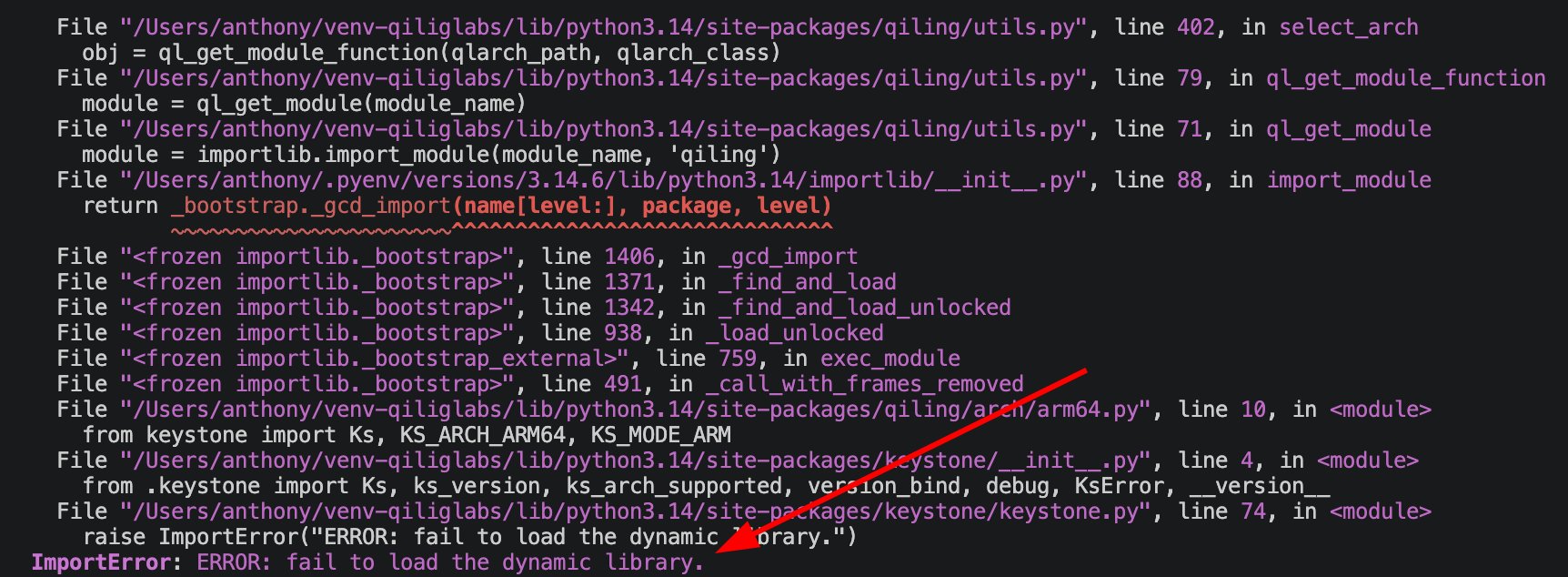
Running the script, I ran into the following error:
Keystone Quirks #
Luckily, after some digging, I found a solution in this blog post. The following steps are taken directly from the aformentioned blog post. In short, we have to manually compile the keystone framework for arm64 using an older version of CMake.
-
Download an older version of CMake (v3.15 according to the blog post and it worked flawlessly, even though it’s built for x86_64). The same one I used is this one.
-
Clone the keystone-engine repo:
git clone https://github.com/keystone-engine/keystone.git- Modify the build script
keystone/make-share-arm64.shto include ARM64 arch
# original line
cmake -DBUILD_LIBS_ONLY=$BUILD_LIBS_ONLY -DLLVM_BUILD_32_BITS="$LLVM_BUILD_32_BITS" -DCMAKE_OSX_ARCHITECTURES="$ARCH" -DCMAKE_BUILD_TYPE=$BUILDTYPE -DBUILD_SHARED_LIBS=ON -DLLVM_TARGETS_TO_BUILD="all" -G "Unix Makefiles" ..

# replace the above line with this
# ensure the path to the `cmake` binary is correct
/Applications/CMake.app/Contents/bin/cmake -DBUILD_LIBS_ONLY=$BUILD_LIBS_ONLY -DLLVM_BUILD_32_BITS="$LLVM_BUILD_32_BITS" -DCMAKE_OSX_ARCHITECTURES="arm64" -DCMAKE_BUILD_TYPE=$BUILDTYPE -DBUILD_SHARED_LIBS=ON -DLLVM_TARGETS_TO_BUILD="all" -DPYTHON_EXECUTABLE=/usr/bin/python3 -G "Unix Makefiles" ..- Create a
builddirectory in the keystone repo and run the modified build script:
mkdir -p keystone/build
cd keystone/build
../make-share-arm64.sh- Ensure the built
kstoolbinary works as expected.
keystone/build/kstool/kstool x64 "mov rax, 1; ret"
# Expected output: mov rax 1; ret = [ 48 c7 c0 01 00 00 00 c3 ]- Finally, copy the library to the
keystonedirectory package directory
cp keystone/build/llvm/lib/libkeystone.dylib ~/venv-qiliglabs/lib/python3.14/site-packages/keystone/
cp keystone/build/llvm/lib/libkeystone.0.dylib ~/venv-qiliglabs/lib/python3.14/site-packages/keystone/
Third time’s the charm… #
Then I tried running the initial script again and everything worked perfectly!
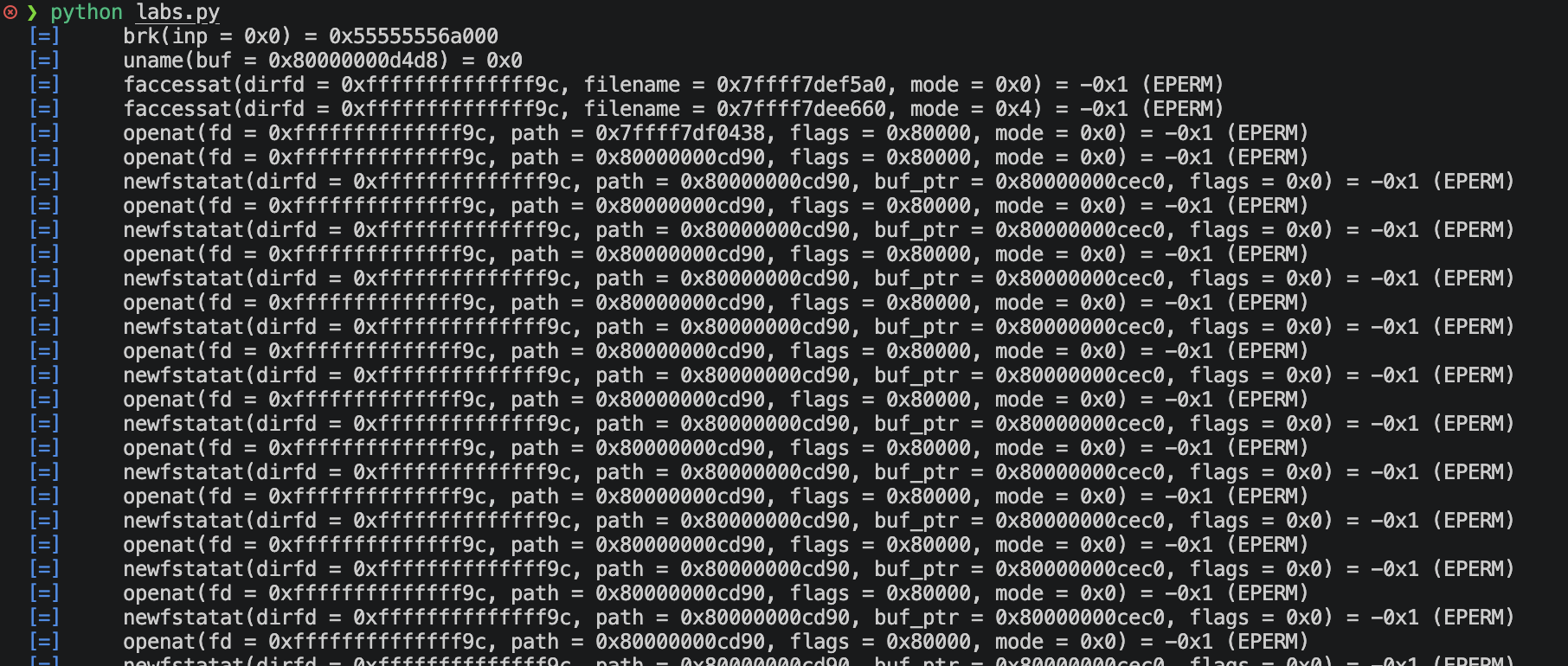
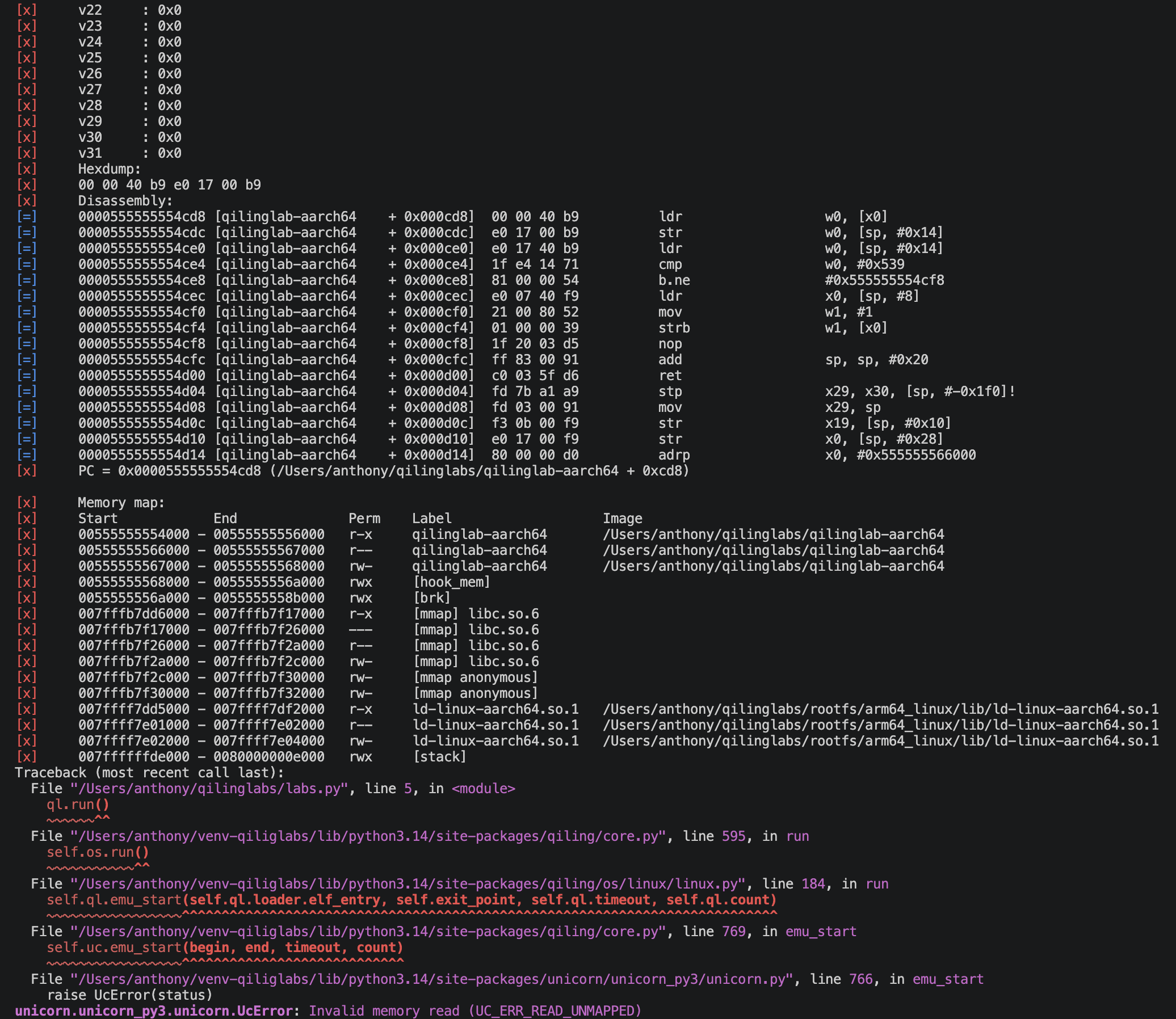
The error is expected since none of the challenges have been solved. Let’s get started!
Challenge 1 #
Store 1337 at pointer 0x1337Reading the error found above, the first step to solving this challenge is quite clear: memory needs to be mapped. We can take a quick look at the function for challenge 1 and confirm that the binary is attempting to read address 0x1337.
Initial decompiled analysis #
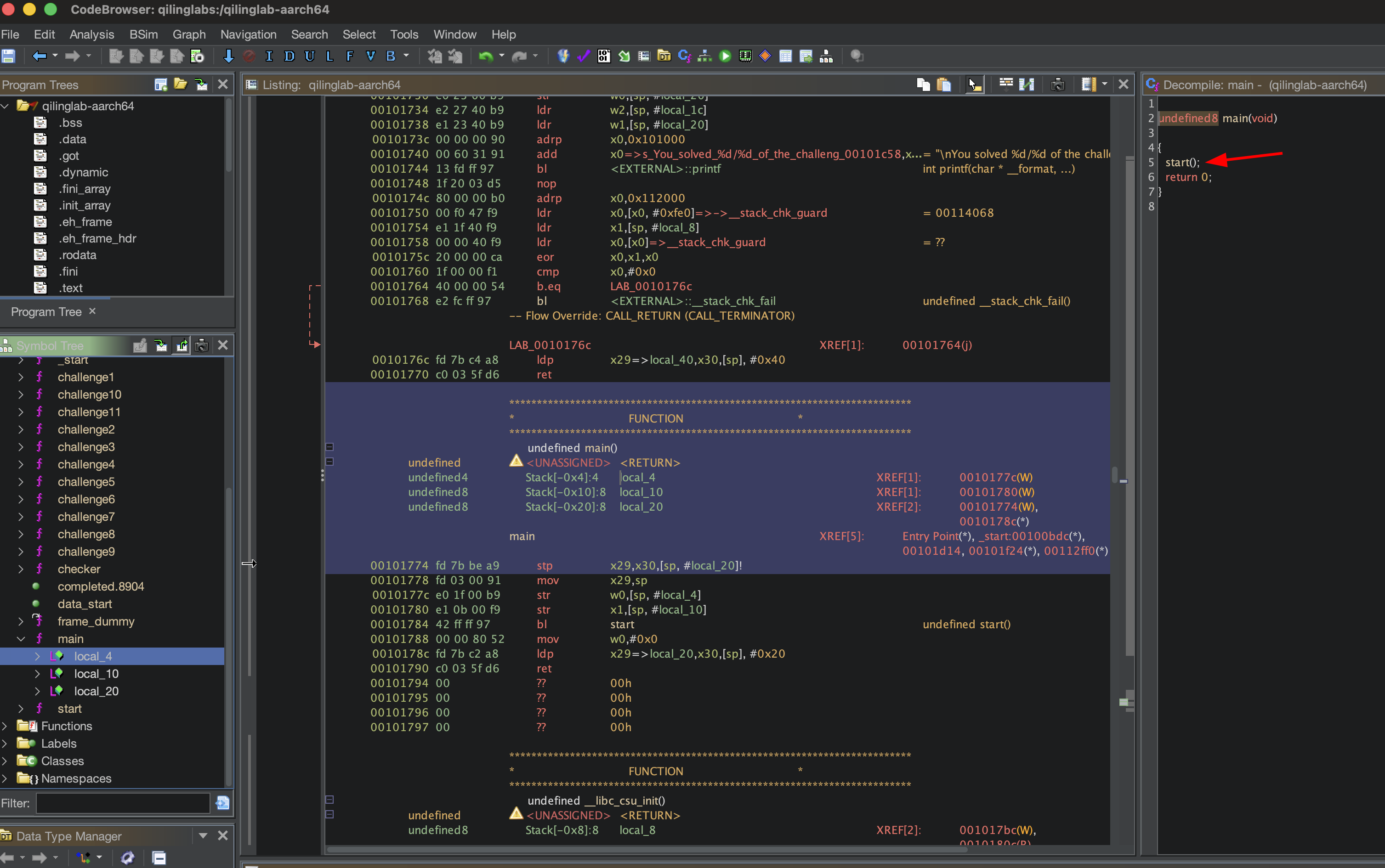
main is veryh simple and calls the start function.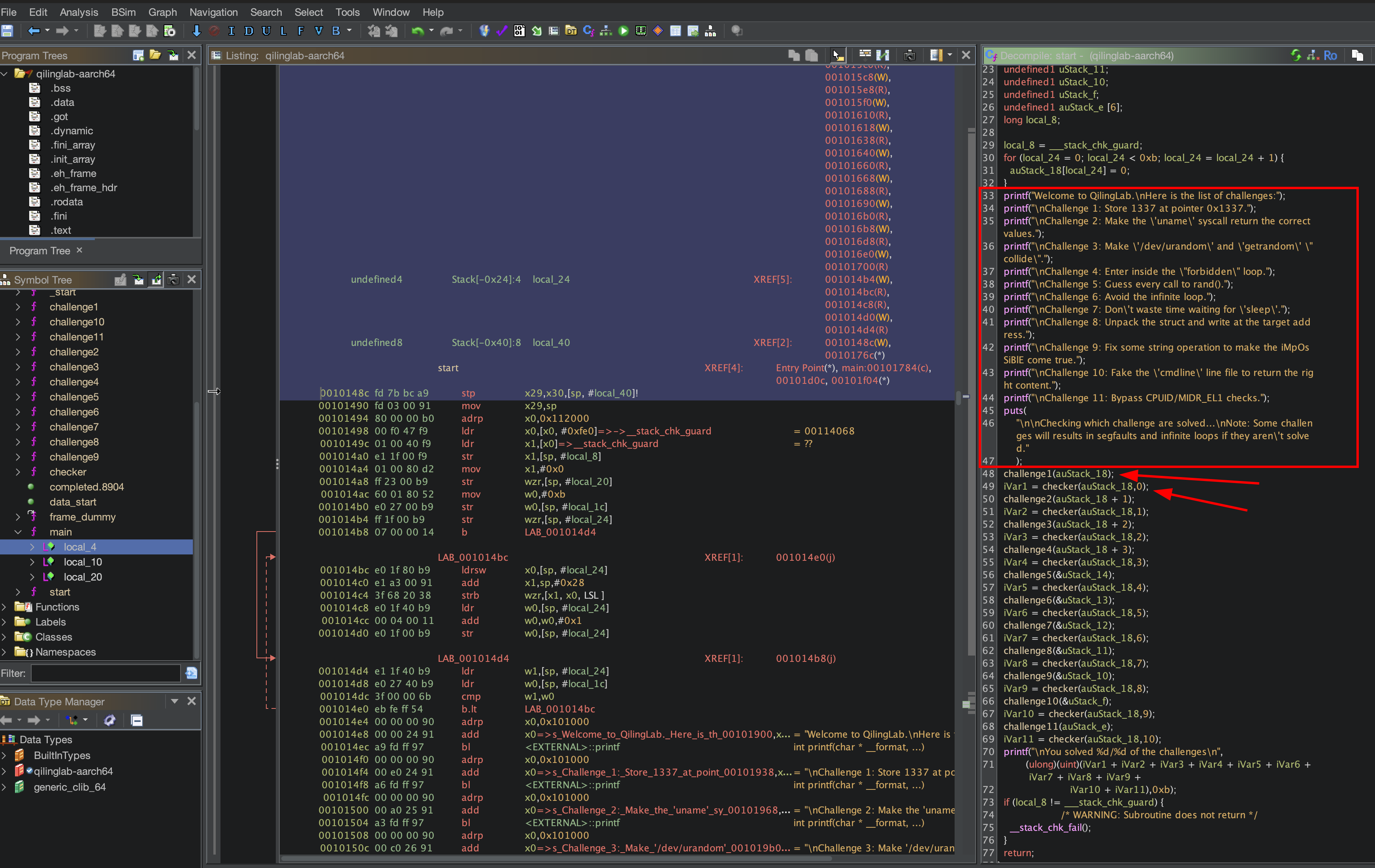
start function is also quite simple and prints the challenge descriptions and subsequently executes each challenge function. After each challenge function executes, the checker function, which checks the value of the variable auStack_18, which is set inside each challenge function upon successfully solving it.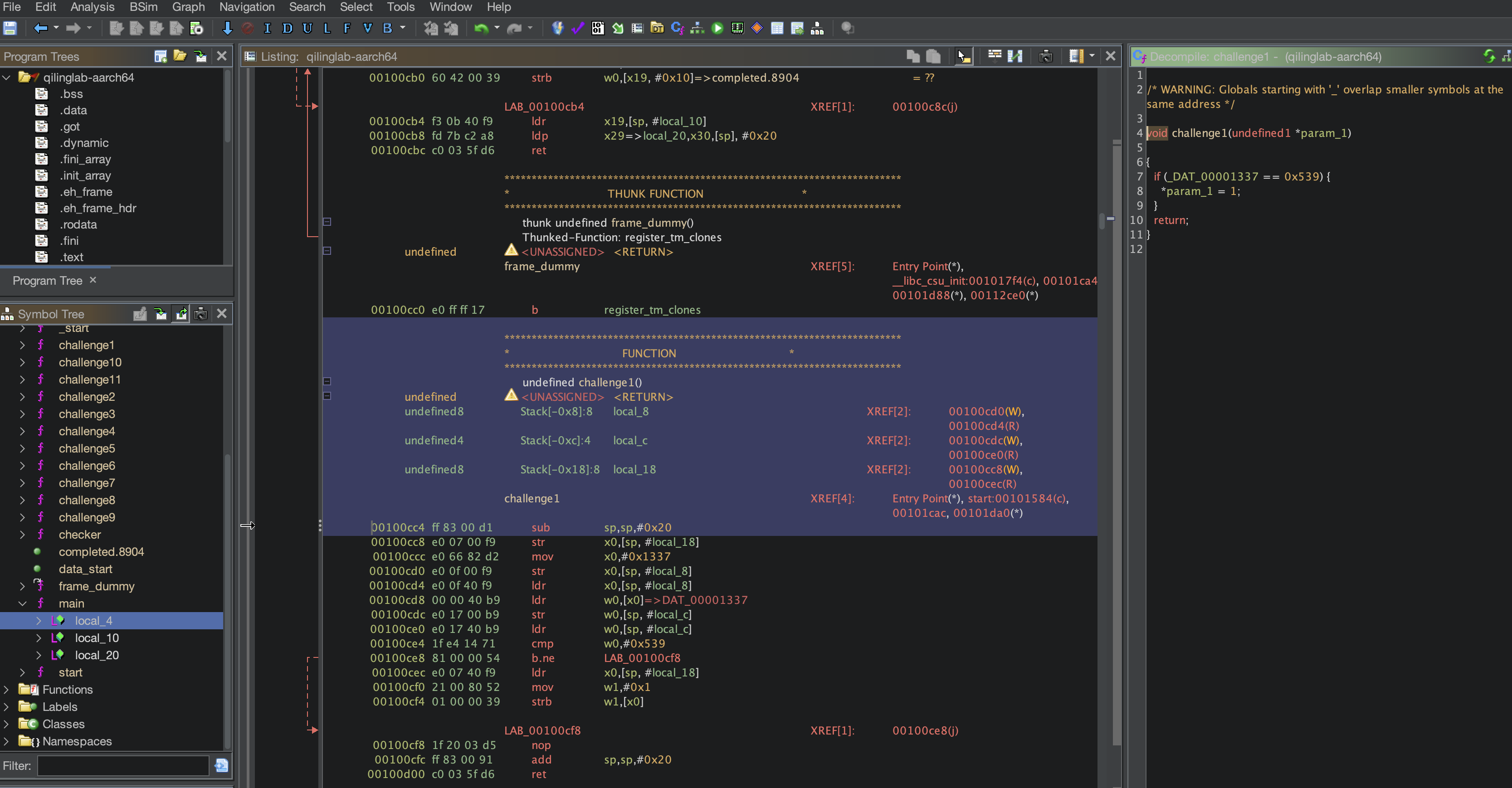
challenge1 is very straightforward. It checks the address 0x1337 for the value 0x539 (1337 in hex). If set, the variable auStack_18 is set to 1.
Implementing the solution #
After browsing the documentation a bit, I found memory API.
To use ql.mem.map, we need to pass the starting address addr, and the size at least. Tehcnically we could map starting from 0x0000, and assuming the defacto page size of 4096/0x1000 is used (which is indeed the case in this setup), the size would need to be at least 2 times of ql.mem.pagesize if we’re starting at 0x0000.
So we could make the call like so:
ql.mem.map(0, 2 * ql.mem.pagesize, UC_PROT_ALL, "0x1337 memory")Then to write the value 1337 to address 0x1337. This can be done using ql.mem.write. Unfortunately, it’s not a simple as just writing 1337. Doing so generates the following error:
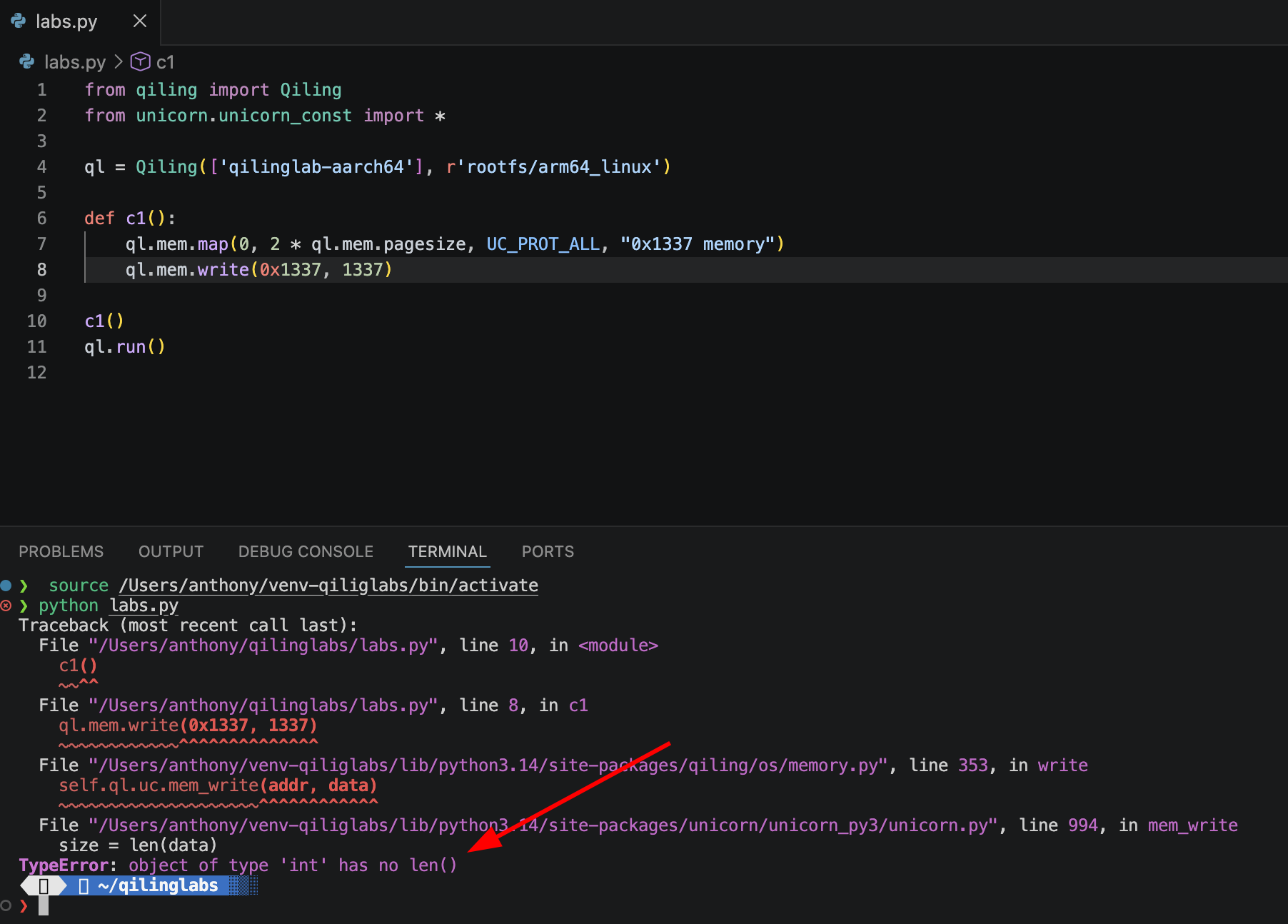
To write the value, we need to pack it. We can use ql.pack() to let qiling choose the bitness, or use ql.pack16(), since 1337 fits in a 2 byte buffer.
Solved challenge 1 #
Therefore, one possible solution for solving challenge 1 is:
def challenge1(ql: Qiling):
    ql.mem.map(0, 2 * ql.mem.pagesize, UC_PROT_ALL, "0x1337 memory")
    ql.mem.write(0x1337, ql.pack16(1337))
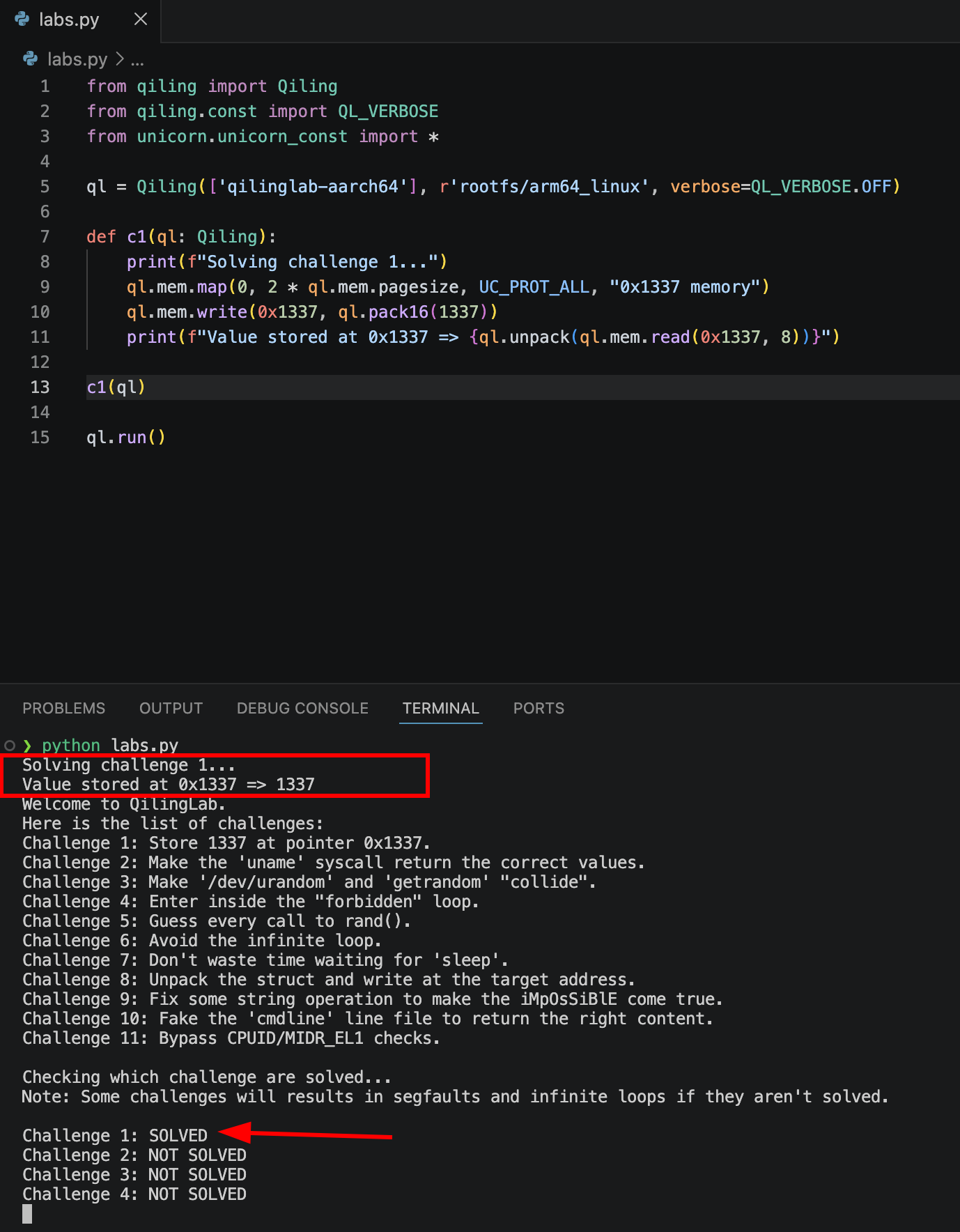
After running this script and making it a bit prettier, challenge 1 is indeed solved!
Challenge 2 #
Make the `uname` syscall return the correct values.Binary analysis #
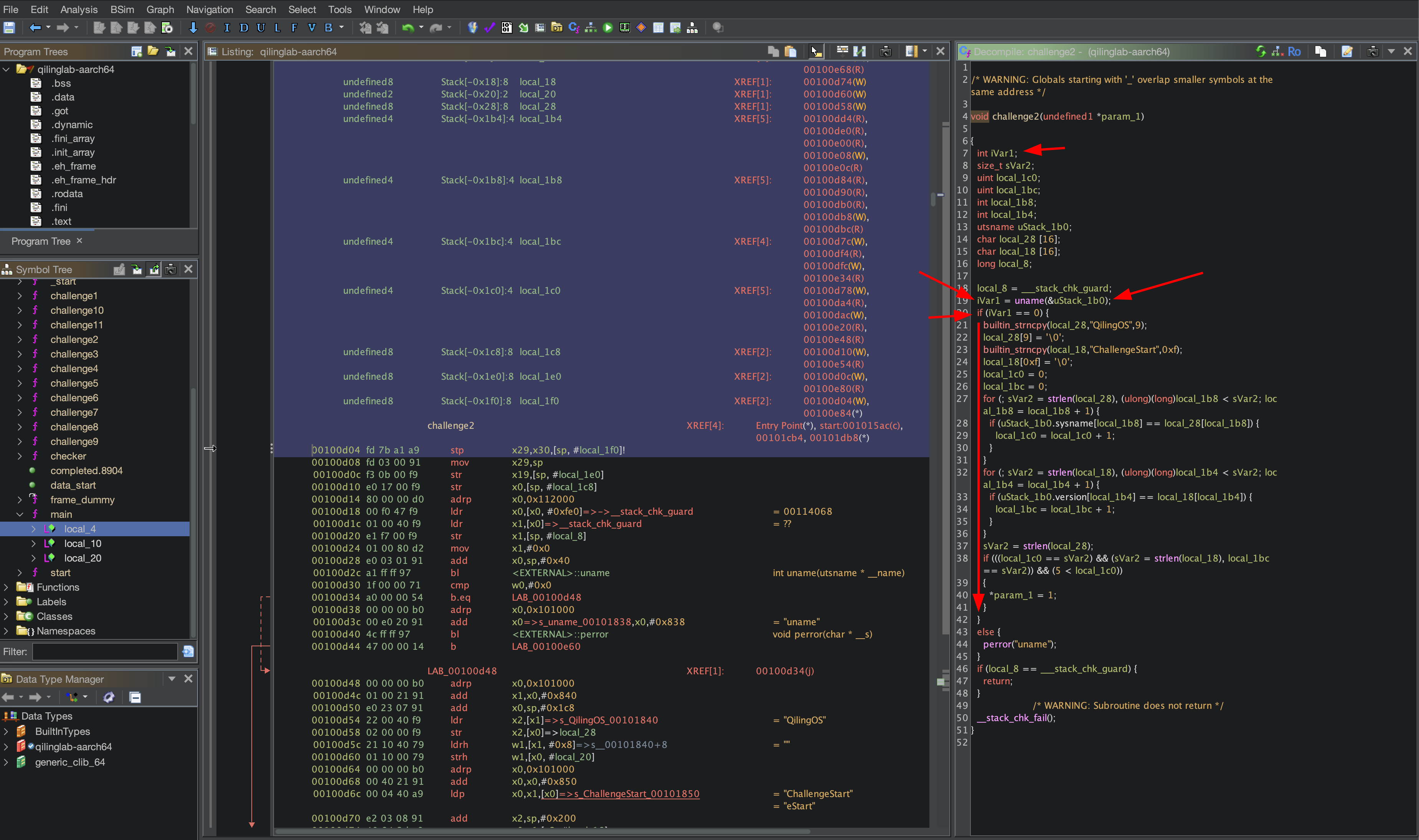
challenge2 reveals that the result uname function call is stored in iVar1, and the address of the struct utsname is passed. If iVar1 is 0, a few more checks are made. If the checks pass, the challenge is solved.
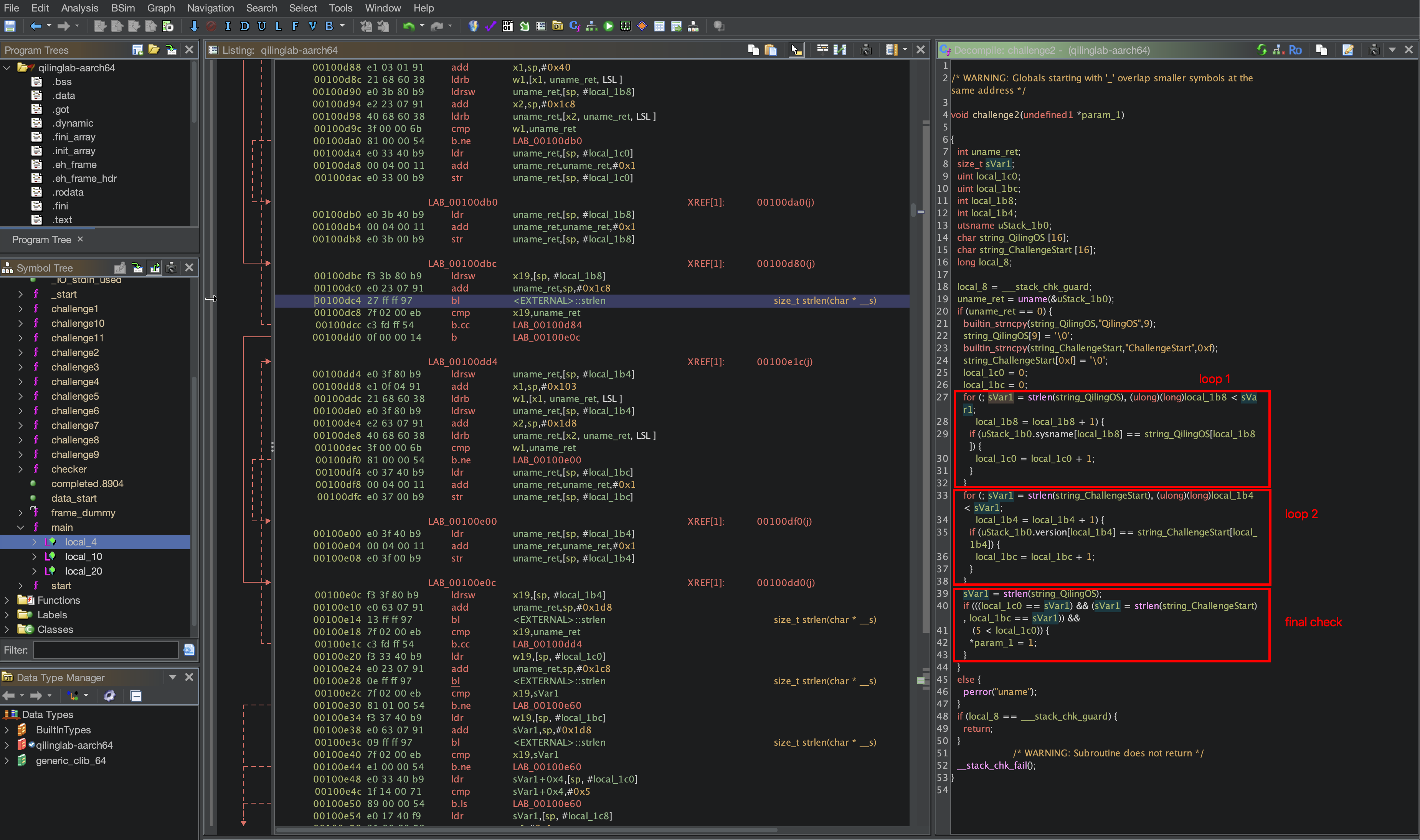
QilingOS and ChallengeStart are copied to local variables, which are then compared byte-byb-byte to the struct’s fields sysname and version, respectively. The final condition checks is the counters that were incremented during the first two for-loops are equal to their respective string’s length, and finally checks if the string length of QilingOS is greater than 5.
Solving the challenge #
Since we’ve determined that the success condition is a series of checks of the fields sysname and version fields of the utsname struct, the first step is to know what is actually being returned. Using qiling, we can hook syscalls and have access to the arguments passed to them, using ql.os.set_syscall. Using this API, we also need to provide a callback which will replace the functionality of the hooked syscall.
I used this:
ql.os.set_syscall("uname", uname_exit, QL_INTERCEPT.EXIT)To read the values of the utsname struct, I set up a function based on the documentation of the uname syscall. Although the docs state that the fields are null-terminated, they’re also null-padded for a total of 65 bytes per field (the section “Underlying kernel interface” towards the bottom confirms this). Confirmation is provided below using the following functions:
def c2(ql: Qiling):
    print(f"Solving challenge 2...")
    ql.os.set_syscall("uname", uname_exit, QL_INTERCEPT.EXIT)

def uname_exit(ql, uts, *args):
    print(f"utsname at: {uts:#x}")
    data = ql.mem.read(uts, 400) # there are at least 5 fields in `utsname`, so 5 * 65 = 325.
    print(binascii.hexlify(data))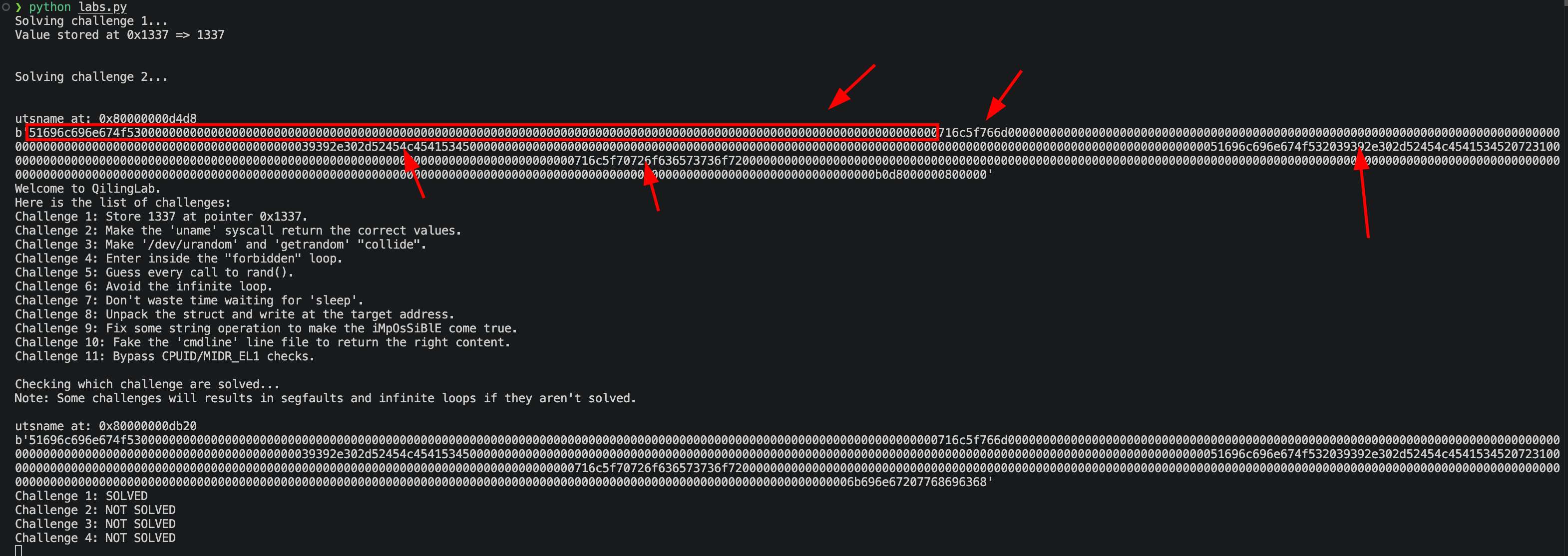
uname which executes uname_exit due to using ql.os.set_syscall.
We can make so adjustments to the uname-exit function to print the string value of each field.
def uname_exit(ql, uts, *args):
    offset = 0
    def print_field_update_offset(fieldname, off) -> int:
        str = ql.mem.string(uts + off)
        print(f"{fieldname} = {str} length: ({len(str)})")
        off += 65 # increment by 65 since we confirmed it
        return off

    print(f"utsname at: {uts:#x}")
    offset = print_field_update_offset("sysname", offset)
    offset = print_field_update_offset("nodename", offset)
    offset = print_field_update_offset("release", offset)
    offset = print_field_update_offset("version", offset)
    offset = print_field_update_offset("machine", offset)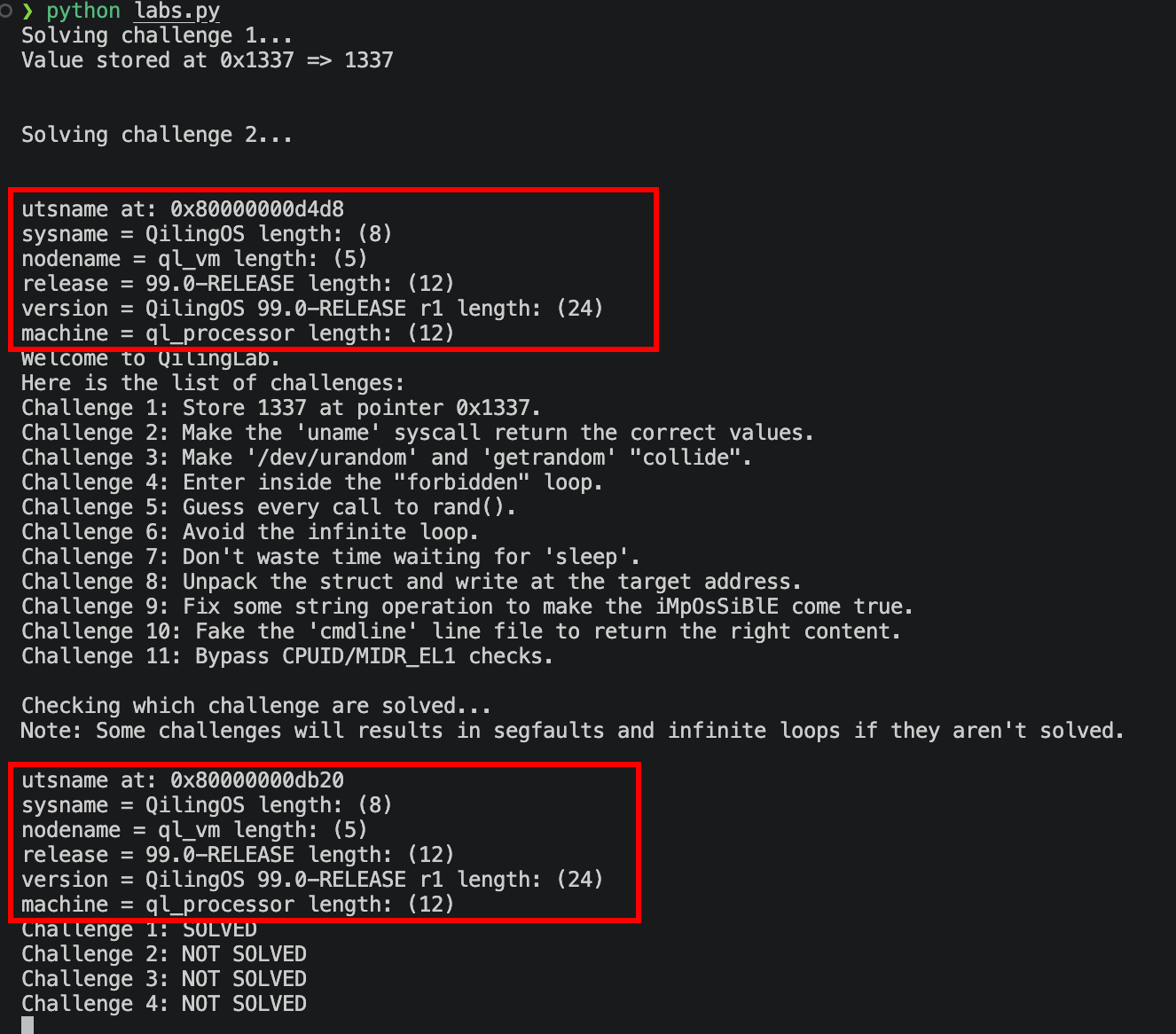
version field differs from the expected value of ChallengeStart.
To write a string to a particular address, we can use ql.mem.string and provide the value to write as the 2nd argument. Let’s update the function to write the expected value in the version field.
def uname_write_expected_value(ql, uts, *args):
    offset = 3 * 65 # `version` is the 4th field of the `utsname` struct
    ql.mem.string(uts + offset, "ChallengeStart\0\0\0\0\0\0\0\0\0\0")
I had to add 10 null bytes to the end of the string because the original value is a total of 24 bytes, while the expected string is 14 bytes. If we just write the 14 bytes, the value of version would be ChallengeStartRelease r1. Running the updated script solves the 2nd challenge!
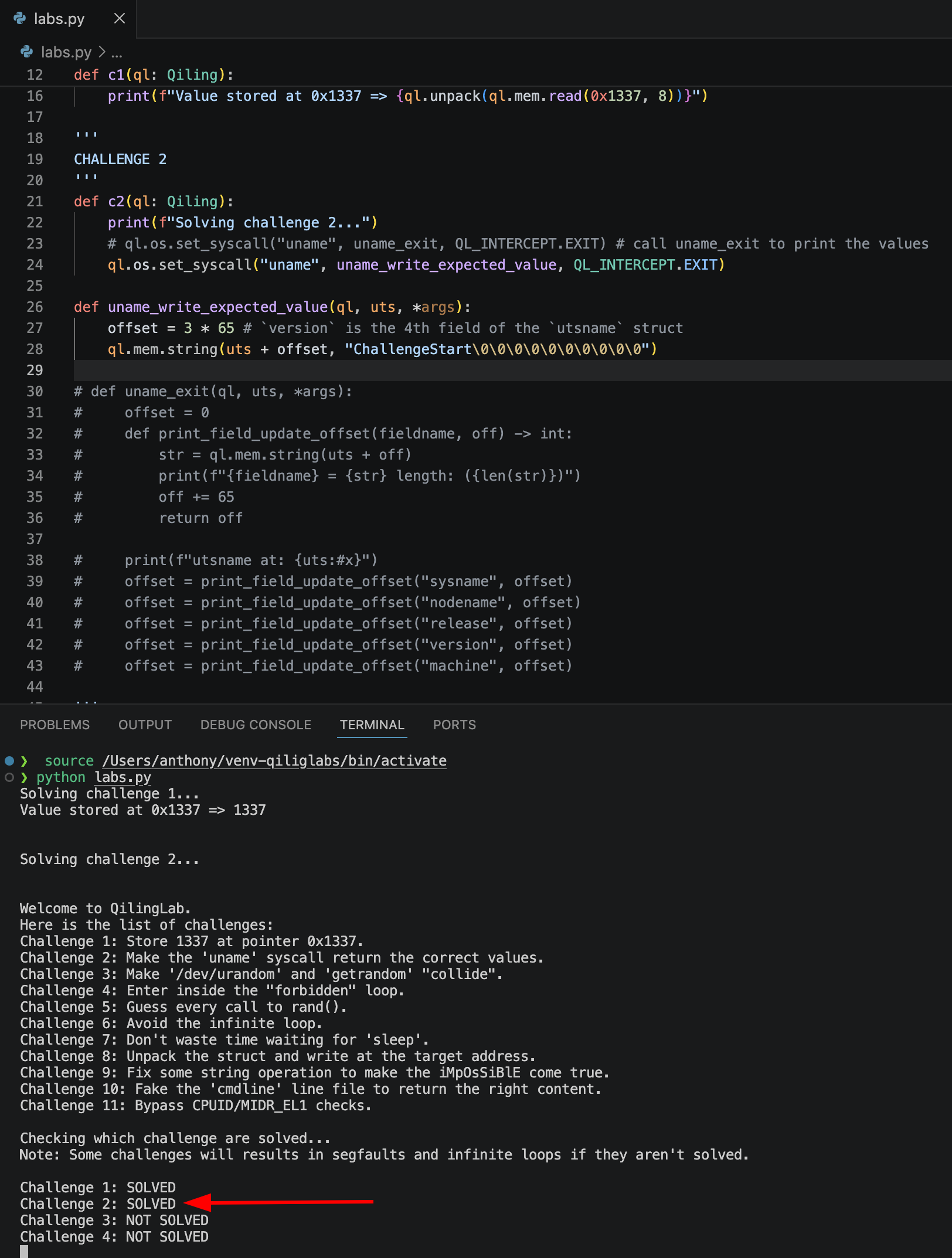
version would actually be ChallengeStart\0elease r1\0\0\0\0\0......., therefore satisying the conditions for this challenge.
Challenge 3 #
Make `/dev/urandom` and `getrandom` “collide”.Challenge analysis #
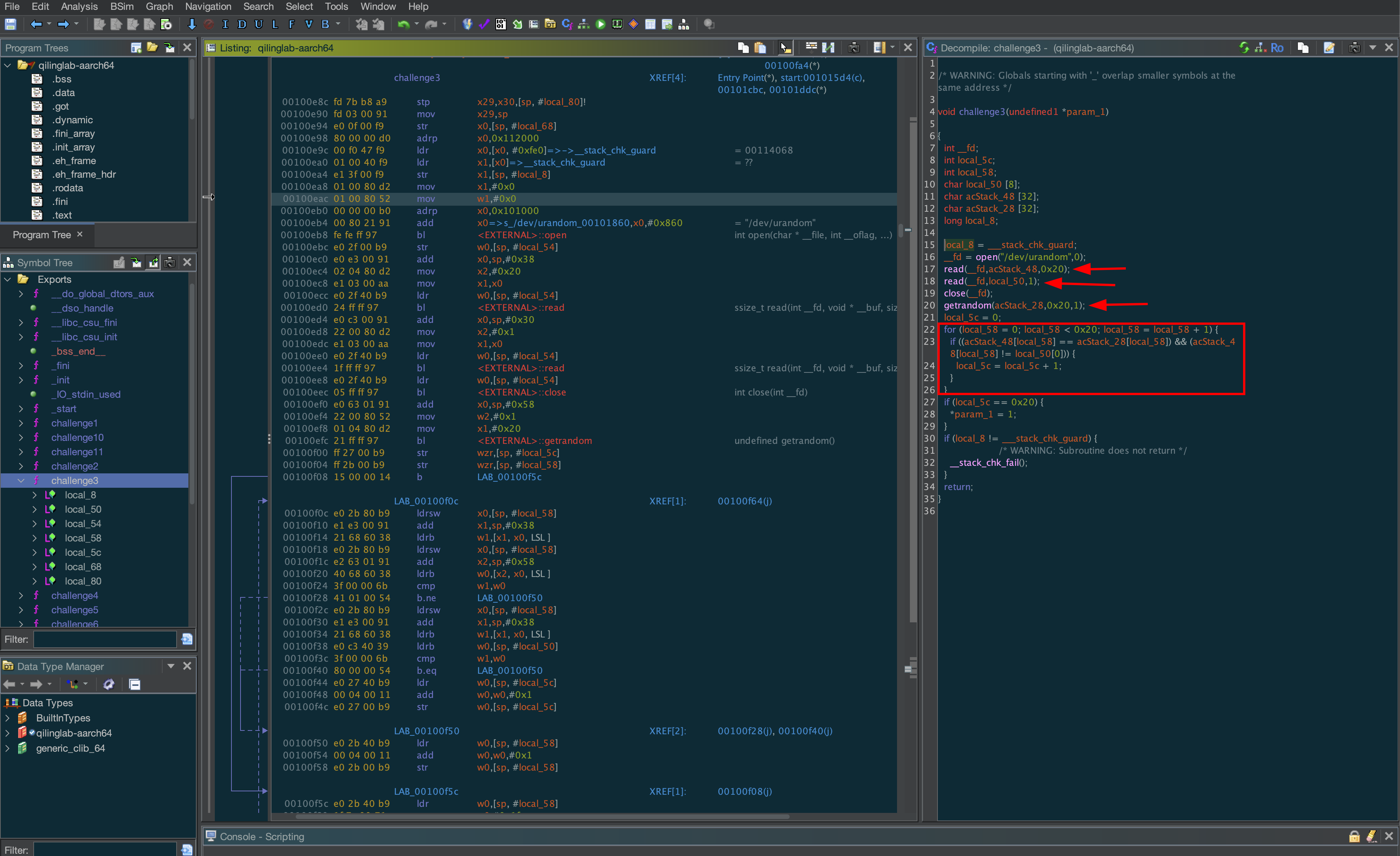
/dev/urandom and 32 are read via a call to getrandom. Then, the 32-length byte arrays are compared with each other byte-by-byte, while the single byte local_50 cannot be equal to the first byte of the /dev/urandom read. If this condition is met, a counter is incremented. To solve this challenge, we must force the condition to be true for the counter to be set to the expected value of 0x20.
Solving the challenge #
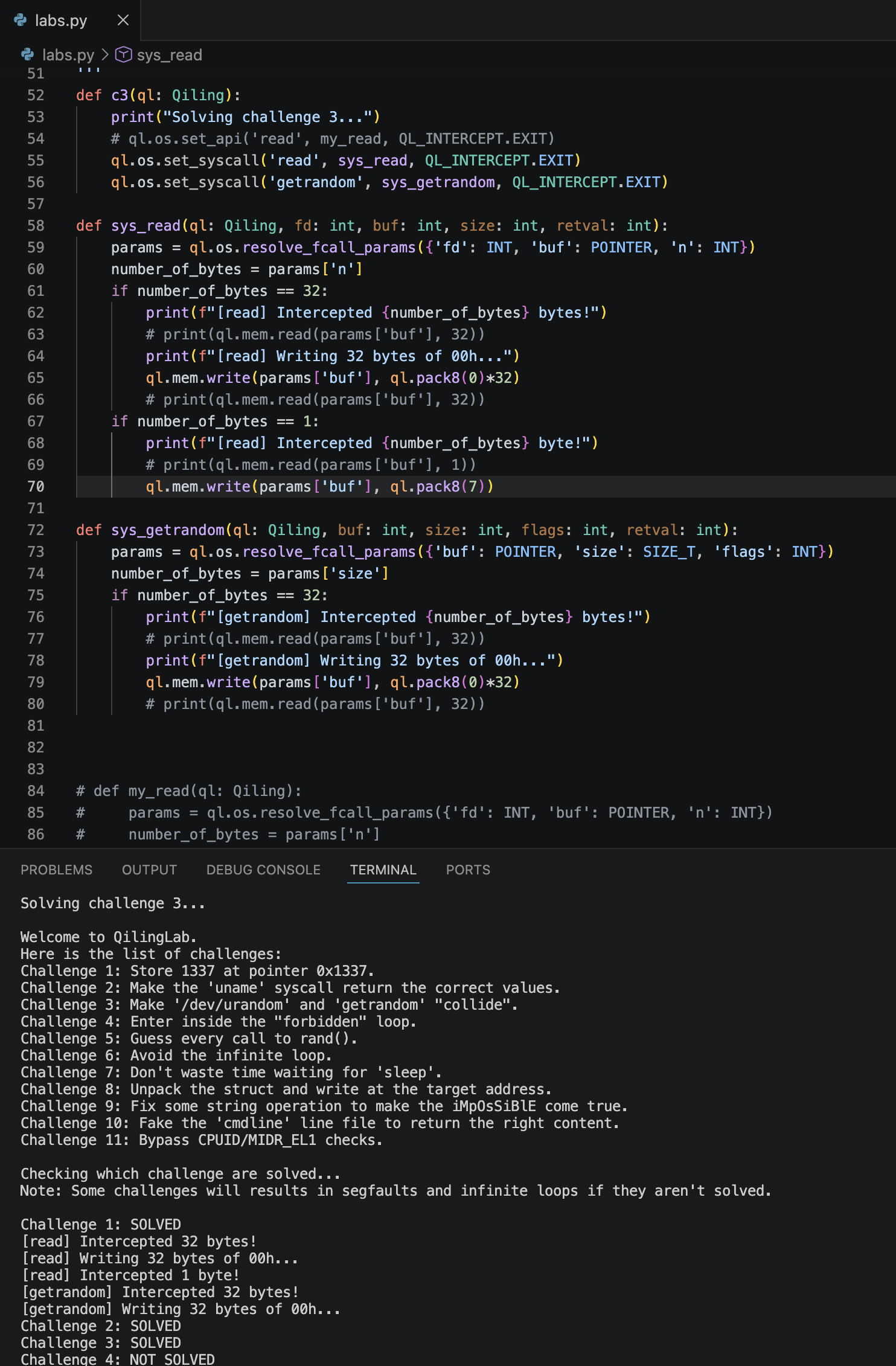
One way this challenge can be solved is by hooking the read and getrandom syscalls. By filtering the read calls by the number of bytes to be read, we can set the value of the single byte to be something different (e.g. 0x01). The other calls to read /dev/urandom and getrandom can be hijacked to return an array of 0x00s.
First Hiccup
ql.os.set_api this time to see how it works. However, it wasn’t catching the read calls found in the binary. Turns out that that set_api hooks library functions and is not intended for hooking syscalls.
Second Problem
When setting up the callback, I defined it to accept 4 arguments like so:
def sys_read(ql: Qiling, fd: int, buf: int, size: int)I kept getting an error saying that the callback was receiving 5 arguments. Turns out that the 5th argument is the return value from the syscall execution. When using QL_INTERCEPT.EXIT, the callback receives the syscall parameters plus the return value from the original syscall. So I ended up using this definition:
def sys_read(ql: Qiling, fd: int, buf: int, size: int, retval: int)After implementing the hooks as shown below, challenge 3 was solved!